The trading terminal, rethought.
A native workspace for Windows and macOS with its own Rust chart engine, direct market-data connections, and simulated or live trading.

Integrations
 HyperliquidSupportedData
 SupportedData + trading
- Discount TradingComing soonData

Trading
Trade from the chart or the ladder.
Drag stop-loss and take-profit lines on the chart. Trade a simulated account, or a live futures account through Rithmic.
Charts
Every candle is drawn by an engine we wrote.
Aeris Charts is our own chart engine, written in Rust. Indicators recalculate on every trade, not when the bar closes. Learn more
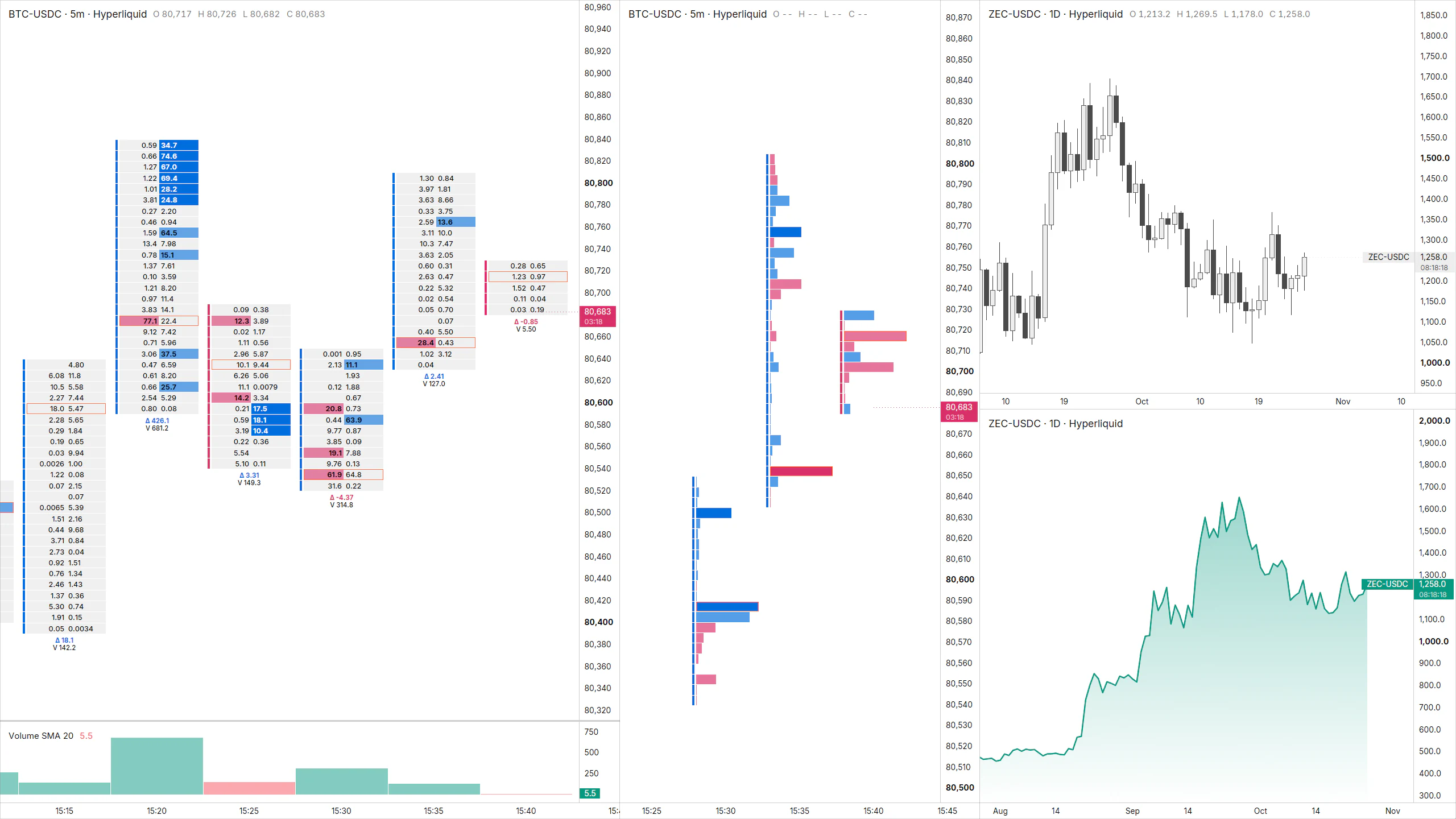
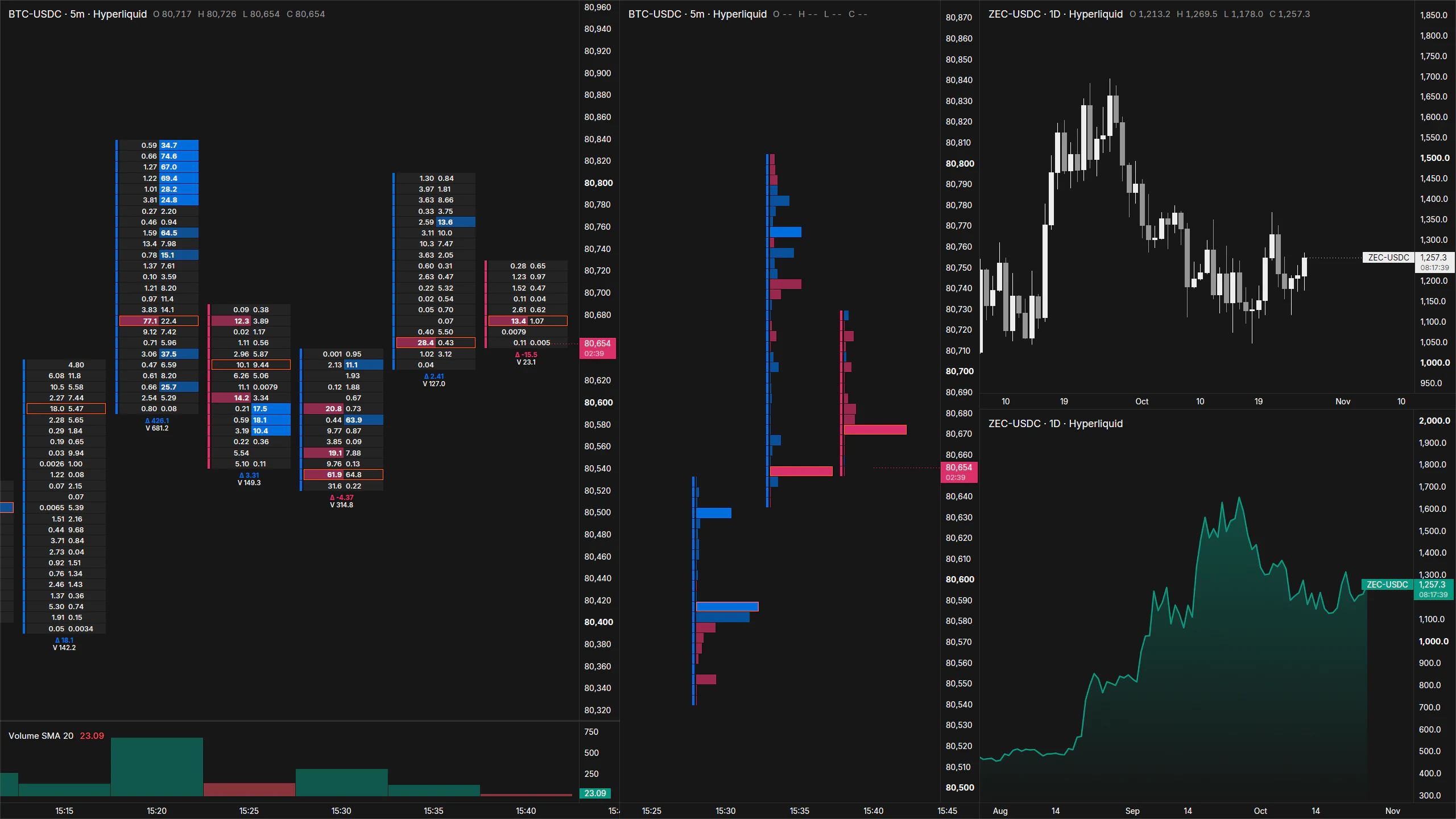
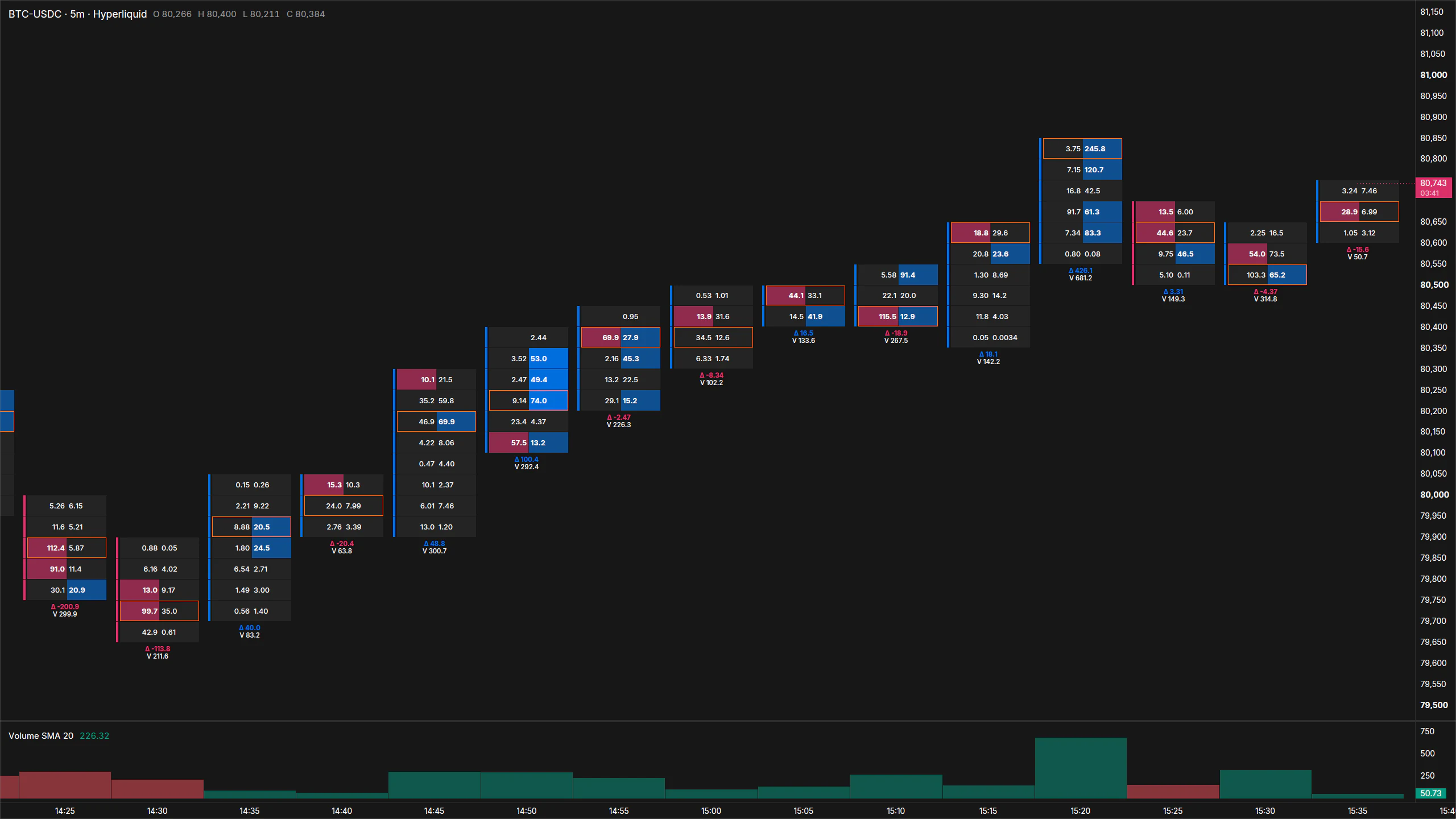
Footprint
See the volume inside every bar.
Bid and ask volume at every price, with point of control, imbalances, and delta per bar. Order-flow glossary
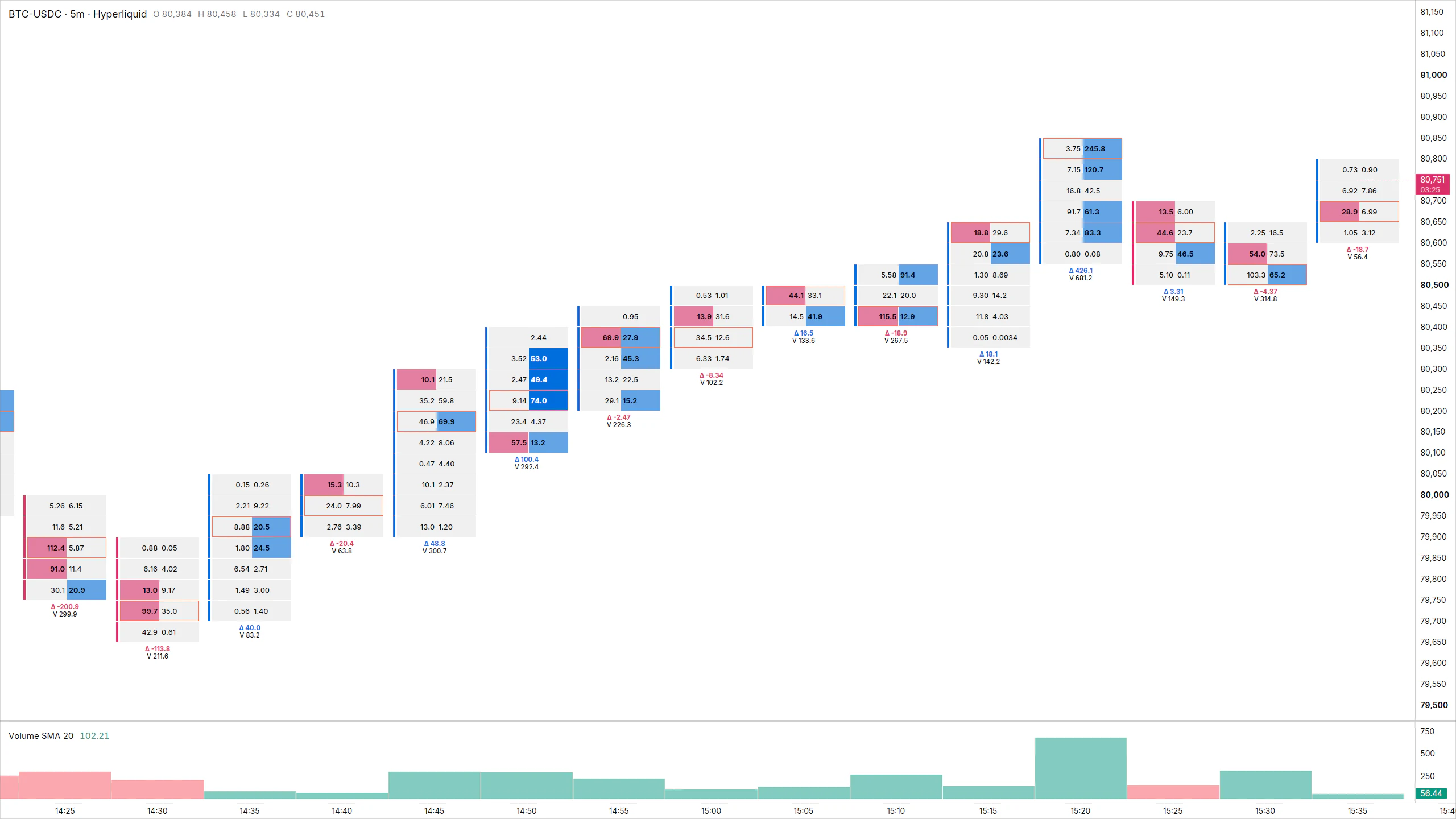
Order flow
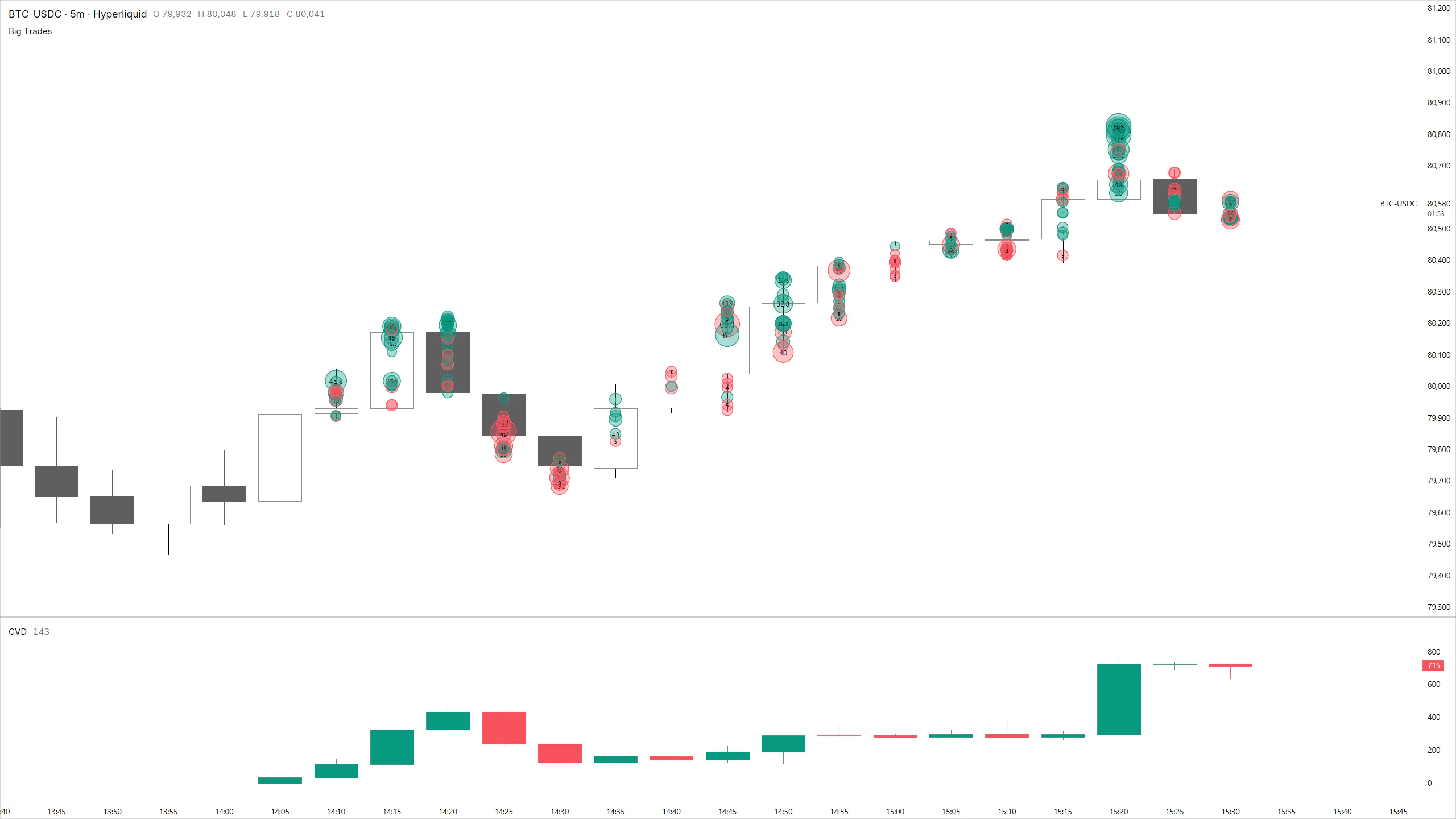
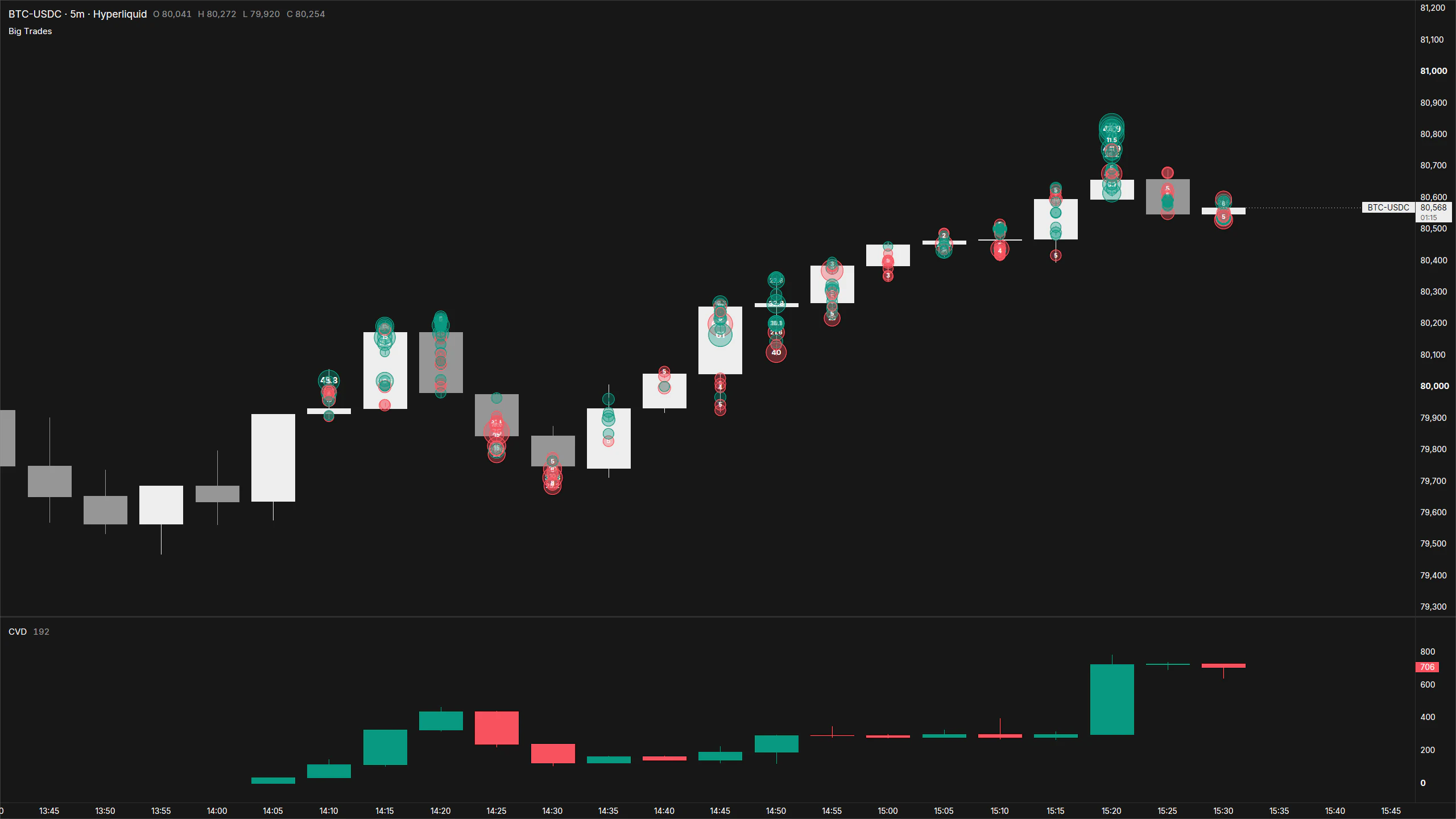
Watch who is hitting the market.
Cumulative volume delta, delta per bar, and big trades, computed from the live tape on your machine.
Market data
Market data goes straight to your machine.
Each provider connects directly to the app. Hyperliquid crypto data is free; futures data comes through your own Rithmic account. No Aeris server sits in between.
Providers
Futures dataLive ordersHyperliquidPublic crypto data, freeDirect connections, no relay
Your computer

 Aeris
On Windows and macOS, on your own machine.
- Charts drawn by the native Rust engine
- Indicators recalculated on every trade
- Workspaces, layouts, and drawings saved locally
- Orders to simulated or live Rithmic accounts
Bracket templates
A target and a stop placed with the entry, in one step.
Trade copier
One order copied to up to 20 accounts, each with its own size.
Journal and review
Win rate, R-multiple, and how the book broke down.
Plans at launch
Start free. Upgrade when you need more.
Billing is not live yet, so accounts are not restricted by plan. Compare plans
Free
Charts, DOM and simulated trading, free forever.
$0free forever
Download freeEverything you need to start:
- 1 workspace with up to 4 charts
- 3 indicators per chart
- Footprint on 1 chart
- DOM, chart and simulated trading
- Live trading on 1 Rithmic account
- Flatten and kill switch
Pro
No limits on charts or indicators, with full order flow.
$29per month, billed yearly ($348)
Get ProEverything in Free, plus:
- Unlimited workspaces, charts and indicators
- Unlimited footprint charts
- Order flow: CVD, delta and big trades
- Multiple market-data connections
- Live trading on 3 Rithmic accounts
- Email support
Prop
Everything in Pro plus a multi-account trade copier.
$49per month, billed yearly ($588)
Get PropEverything in Pro, plus:
- Live trading on up to 20 accounts
- Multi-account trade copier (coming soon)
- Priority support
Questions
Plain answers.
What is Aeris?
Aeris is a native desktop trading platform. It draws charts with its own Rust engine and adds footprint charts, cumulative volume delta, big trades, Time & Sales, chart trading on a simulated or live Rithmic account, and a crypto screener, all on market data that comes straight to your machine.
What can I use in Aeris today?
Charts with indicators, drawing tools, linked split layouts, and price alerts; bar replay with practice trading; footprint charts; cumulative volume delta, delta per bar, and big trades; the order book and Time & Sales; chart trading with stop-loss and take-profit on a simulated account; live futures trading through Rithmic; trading workflows built from your own triggers, checks, and actions; offline trading reports from your trade history; and a screener with market scans for every Hyperliquid market. The app is available in ten languages.
What is not available yet?
Bracket templates, the liquidity heatmap, tick-by-tick market replay, the trade copier, the performance journal, futures screening, and a Linux release are coming soon.
Which platforms are supported?
Windows 10 and 11 (64-bit), and macOS on Apple silicon (M1 or later). Linux is coming soon.
How do I get market data?
Hyperliquid public crypto data is included. Futures data connects through your own Rithmic account.
How much does market data cost?
Included crypto data is free. Futures exchange fees depend on the entitlements on your own Rithmic account.
How is Aeris different from TradingView?
Aeris is a native desktop app, not a browser tab. Charts, data, and workspaces run locally, so everything stays fast.
How do I get started?
Download Aeris for Windows or macOS, sign in, and your workspace is ready.
Trade on an engine built for it.
Aeris is free on Windows and macOS. No card required.